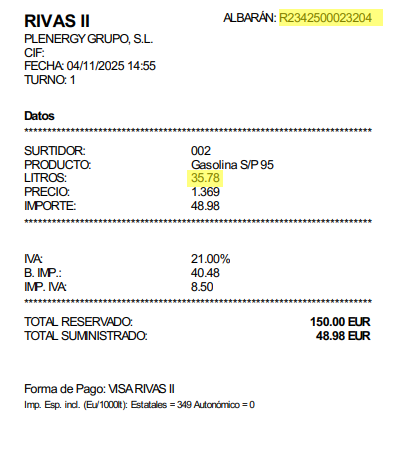
How to locate the invoice number and litres on your receipt?
Find the "invoice/delivery note" number and "litres" in the example highlighted in orange.
You will find the receipt number printed next to the words "Simplified invoice" at the top of the document. You will also find the litres near the final amount.

At the top of the document you can find the invoice's "Delivery note" number. Further down you will find the "Litres" value.

If you download your invoice from the app, the delivery note number appears next to the word “Delivery note” at the top of the document. The litres are listed in the detail table next to the word “Litres”.